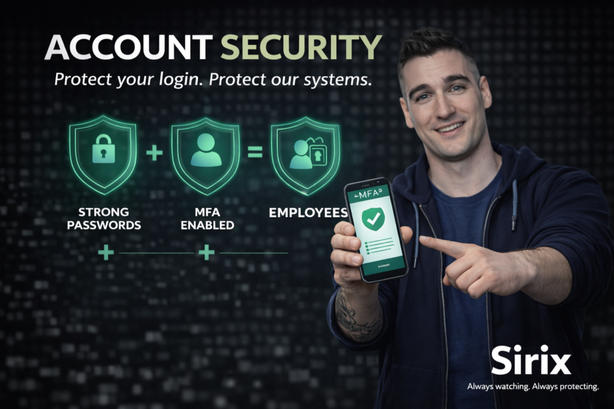
🔑 Protect credentials Use unique, strong passphrases and keep them private. | 📲 Use MFA correctly Approve only prompts you initiated—report unexpected prompts. | 🖥️ Lock sessions Unattended access is still access—lock before you step away. |
Your login credentials are the keys to our systems. In a remote monitoring environment, those keys can enable or disable alarms,
unlock approved doors or gates, and access sensitive customer environments.
If an attacker gains access to your account, they don’t just access a tool — they gain access to security operations.
That’s why protecting your account is one of the most important things you do every day.
Access to Sirix systems is controlled and monitored to protect customers and meet security and privacy obligations.
Individual accounts are required to maintain accurate audit logs and traceability of actions.
- Use only your assigned account (no sharing credentials).
- Access is role-based (least privilege) and may be reviewed.
- System activity may be logged for security, investigations, and compliance purposes.
- Suspected incidents must be reported promptly for assessment and response.
These controls support audit readiness and help protect customer environments and personal information.
💪 Strong password practices
| ⛔ Never do this
|
MFA adds an extra layer of protection beyond your password. It significantly reduces the chance of unauthorized access.
- Never approve an MFA prompt you didn’t initiate.
- Repeated prompts can be an MFA fatigue attack — attackers hope you approve one by mistake.
- If you receive an unexpected prompt, deny it and report it immediately.
Each account is assigned to one person. This protects customers and supports auditability by ensuring actions are traceable.
- Access is role-based and tied to job responsibilities.
- Activity logs rely on accurate user identity.
- If someone needs access, they must request it through the approved process.
- Lock your workstation when stepping away — even briefly.
- Log out at the end of your shift.
- Never leave active sessions unattended.
Physical access is still access.
If you notice unexpected MFA prompts, login alerts you didn’t initiate, lockouts, or unusual activity:
- Report it immediately to Security or IT using the approved process.
- Follow instructions for password reset and session termination.
- Do not ignore it — early reporting reduces impact.
Always lock your workstation before stepping away.
Account security is not just about protecting a password — it’s about protecting customer environments,
safety-critical actions, and our reputation.
Your login is your responsibility.
If something feels off, slow down — then verify or report.
Always watching. Always protecting.