
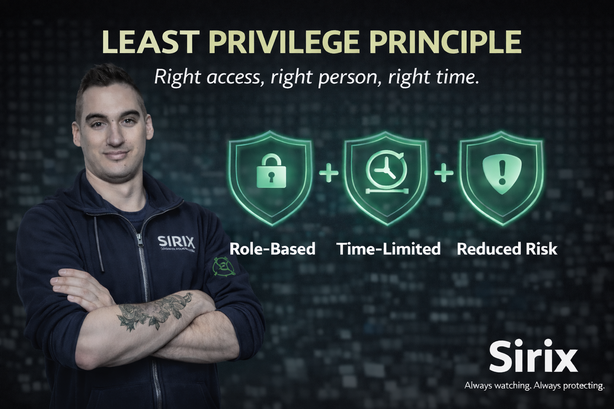
🧩 Right access Access matches your role and current responsibilities. | ⏳ Right time Elevated permissions are temporary and removed when done. | 🧯 Less impact Fewer permissions = smaller “blast radius” if an account is compromised. |
The Least Privilege Principle means you are given only the access you need to do your job — nothing more.
This is not about distrust. It’s a proven security control that reduces risk.
The fewer systems and permissions tied to an account, the less impact there is if that account is compromised.
Least privilege supports security and audit requirements by ensuring access is appropriate, authorized, and traceable.
Access is granted based on business need and may be reviewed to confirm it remains valid.
- Role-based access: permissions align to job responsibilities.
- Access reviews: permissions may be reviewed on a periodic basis and when roles change.
- Separation of duties: sensitive actions may require specific roles or approvals.
- Auditability: system actions may be logged to support investigations and compliance.
Following least privilege helps protect customers, environments, and the integrity of our operations.
Sirix Remote Monitoring can support real-time actions that affect real locations and real people.
Not everyone needs access to every site or every capability.
- Enable or disable alarms
- Unlock approved doors or gates
- View sensitive environments
- Respond to security events in real time
Limiting access helps protect customers, facilities, operations, and trust.
⚙️ How least privilege works
| 🪜 Temporary elevated access
“Just in case” permanent access increases risk and should be avoided. |
If an account has excessive permissions and becomes compromised, the impact can be much larger.
Limiting permissions helps limit damage.
- Wider access to sensitive environments
- Greater ability to unlock or change security states
- Higher risk of operational disruption
- Use only the access assigned to you.
- Do not attempt to bypass restrictions.
- Request additional access through the proper process.
- Report access that seems incorrect or unnecessary.
Reporting unnecessary access is good security behavior — it helps reduce risk.
Access that isn’t needed should not remain active.
Least privilege supports security and compliance by reducing risk and improving accountability.
The right access, for the right person, at the right time — and nothing more.
If something feels off, slow down — then verify or report.
Always watching. Always protecting.